Creating an Account
Overview
Section titled “Overview”Creating a Looped Invoices account is quick and easy. You can sign up using your existing social media accounts, which means no need to remember another password!
Sign Up Process
Section titled “Sign Up Process”Step 1: Visit Looped Invoices
Section titled “Step 1: Visit Looped Invoices”To create an account, visit app.looped.sh and click on the Get Started button in the top right corner of the page.
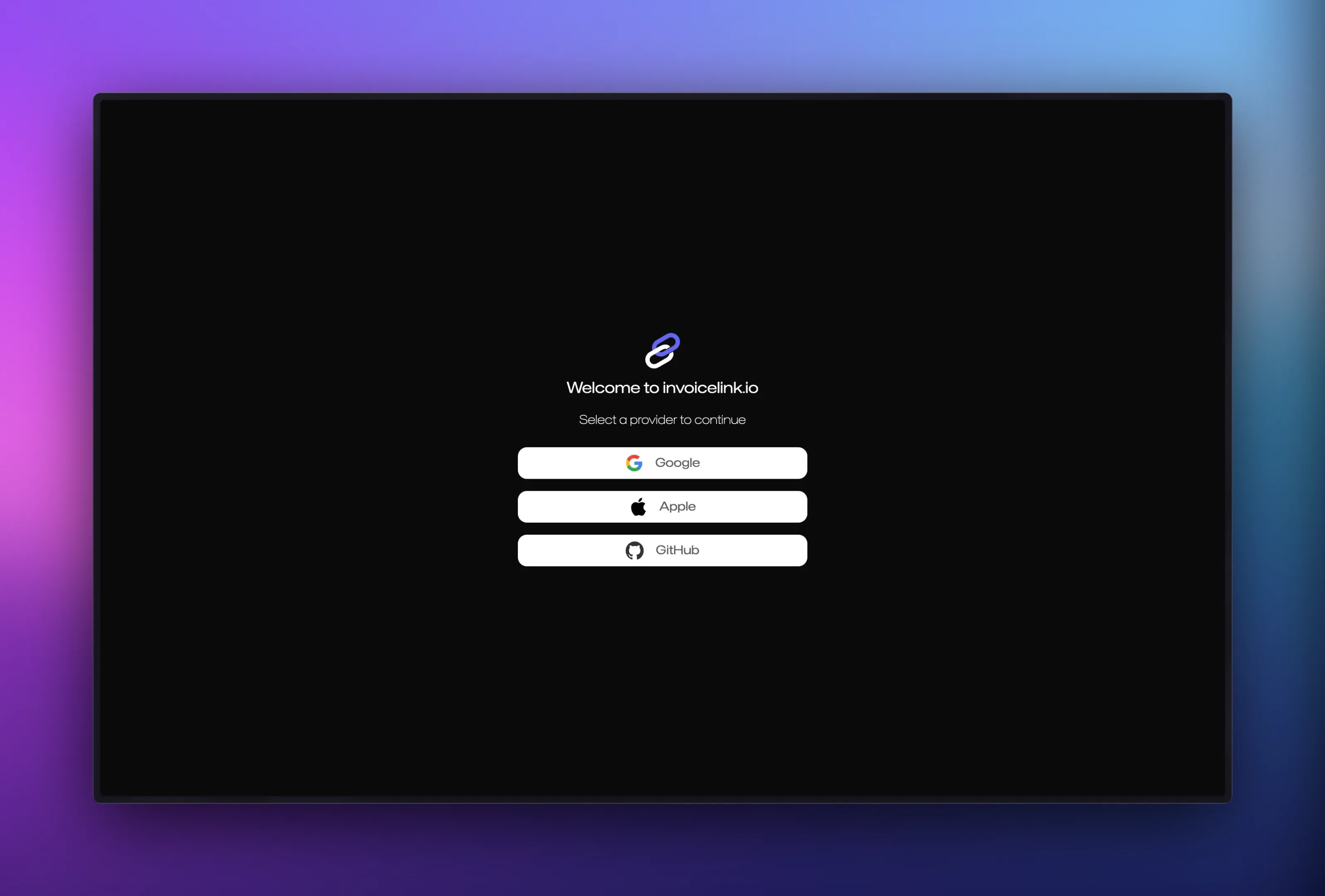
Step 2: Choose Your Sign-In Method
Section titled “Step 2: Choose Your Sign-In Method”Looped Invoices uses secure social authentication to make account creation simple and secure. You can create an account using one of the following providers:
- Google - Sign in with your Google account
- Apple - Sign in with your Apple ID
- GitHub - Sign in with your GitHub account
Simply click on your preferred provider and follow the authentication prompts.
Step 3: Grant Permissions
Section titled “Step 3: Grant Permissions”When you sign in with a social provider, you’ll be asked to grant certain permissions:
- Basic profile information - Your name and email address
- Profile picture (optional) - Used for your account avatar
These permissions are necessary to create and personalize your account. Looped Invoices never posts on your behalf or accesses any information beyond what’s needed for authentication.
Step 4: Account Creation Complete
Section titled “Step 4: Account Creation Complete”Once you’ve successfully authenticated, your Looped Invoices account will be created automatically. You’ll be redirected to the dashboard where you can start setting up your profile.
Security Features
Section titled “Security Features”Social Authentication Benefits
Section titled “Social Authentication Benefits”Using social authentication provides several security advantages:
- No password management - One less password to remember or reset
- Two-factor authentication - Leverage your provider’s 2FA security
- Trusted providers - Google, Apple, and GitHub have industry-leading security
- Easy account recovery - Use your social provider’s recovery options
Data Privacy
Section titled “Data Privacy”We take your privacy seriously:
- We only access the minimum information needed (name, email, profile picture)
- Your social account credentials are never stored on our servers
- Authentication is handled securely through OAuth 2.0
- You can disconnect your social provider at any time
What’s Included
Section titled “What’s Included”Your free Looped Invoices account includes:
- Up to 5 invoices per month
- Basic invoice templates
- Payment link generation
- Email delivery
- Payment tracking
- Mobile-responsive payment pages
Want more? Check out our subscription plans for additional features like:
- Unlimited invoices
- Custom branding
- Payment gateway integrations
- Advanced reporting
- Team collaboration
Account Setup Checklist
Section titled “Account Setup Checklist”After creating your account, complete these steps to start invoicing:
- Add your business address
- Configure your banking details
- Upload your logo (optional)
- Join or create a team (optional)
- Connect a payment gateway (optional)
- Create your first invoice!
Multiple Accounts
Section titled “Multiple Accounts”If you need to manage multiple businesses or separate personal and business invoicing:
- Create a team for each business in Looped Manage
- Switch between teams using the team selector in the top navigation
- Each team can have its own branding, settings, and subscription
Troubleshooting
Section titled “Troubleshooting”Can’t Sign In with Social Provider
Section titled “Can’t Sign In with Social Provider”If you’re having trouble signing in:
- Check your pop-up blocker - Some browsers block the authentication window
- Try a different browser - Clear cache and cookies if issues persist
- Verify your provider account - Ensure your social account is active and verified
- Check your email - You may need to verify your email with your provider
Account Already Exists
Section titled “Account Already Exists”If you see a message that an account already exists:
- You may have previously signed up with a different provider
- Try signing in with Google, Apple, or GitHub to see which account you used
- Contact support if you need to merge accounts
Privacy Concerns
Section titled “Privacy Concerns”If you prefer not to use social authentication:
- Contact our support team at support@looped.sh
- We can discuss alternative authentication options for your use case
Next Steps
Section titled “Next Steps”Now that you have an account, let’s get you ready to create invoices:
- Complete your profile →
- Learn how to create your first invoice (coming soon)
- Explore payment gateway integrations
Need Help?
Section titled “Need Help?”If you encounter any issues during account creation:
- 📧 Email: support@looped.sh
- 💬 Discord: Join our community
- 🎫 Support Portal: support.looped.sh